
Stage 33.7PageCreate
Analyze Caregiver Surveys
Analyze Data and Create First Map Draft · Analyze Data from Partner Engagments

Data from Adult and Youth Respondents to Caregiver Survey
In 2.13, you prepared a survey to send to adults and youth to get input from wider community members. This is a helpful way to get feedback from parents and youth who may not be in the classrooms/settings engaging in Lesson 1.
In 3.5 | 🖐🏽 Analyze Youth Notecatchers and 3.6 | 🖐 Analyze Youth Favorite Place Drawings we showed you detailed steps for how to analyze youth data generated from your partners leading Lesson 1 with youth. The caregiver survey that you finalized in 2.13 | 🖐🏼 Create Caregiver Survey will also generate data from youth and adults, but we have left it up to you to determine how you want to integrate this data.
When you send out the surveys to caregivers, you will see that as surveys come in, you have different options for how to view the responses.
Option 1: View a Summary of the Responses | 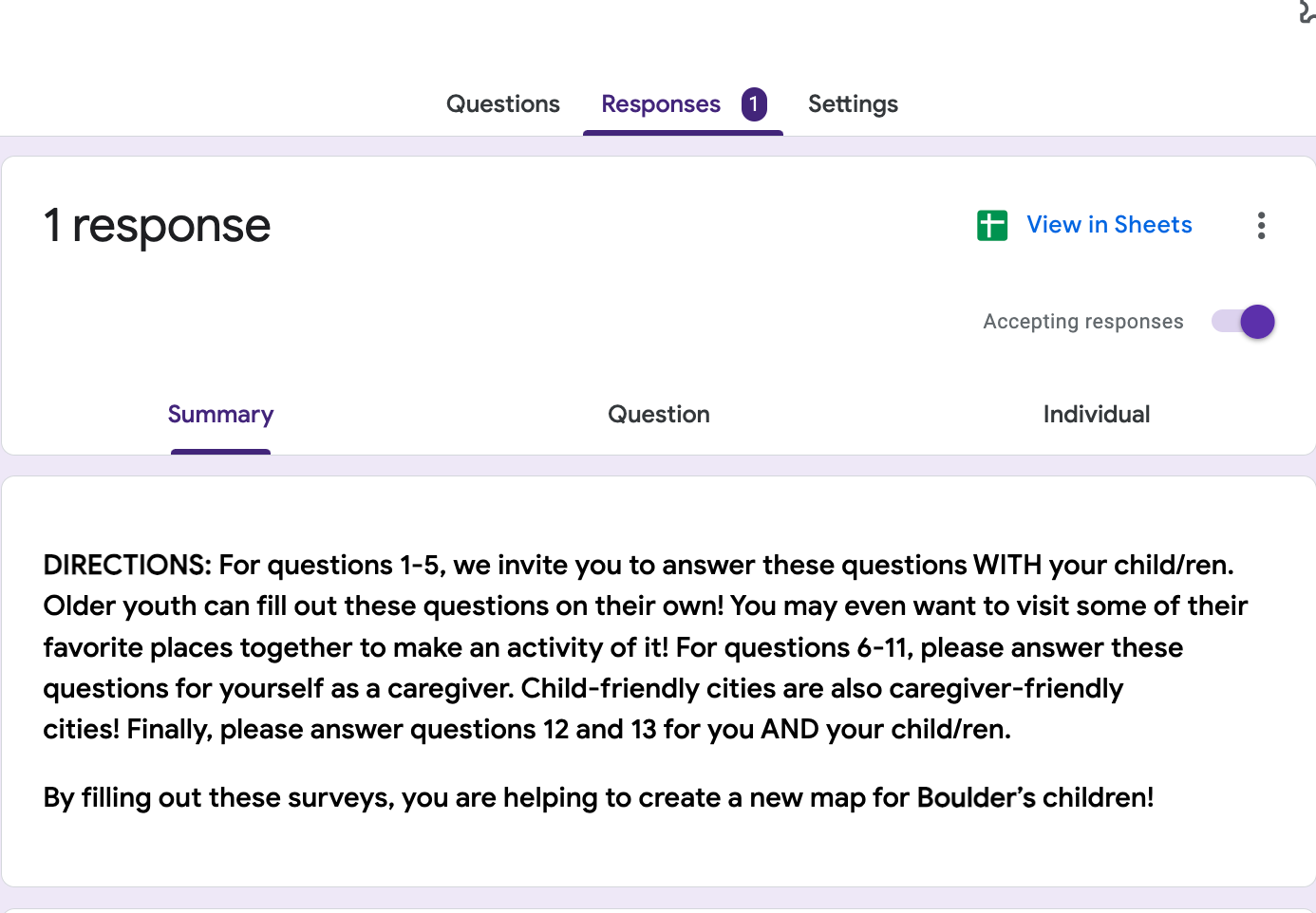 |
Option 2: View the Responses to Each Question of the Survey | 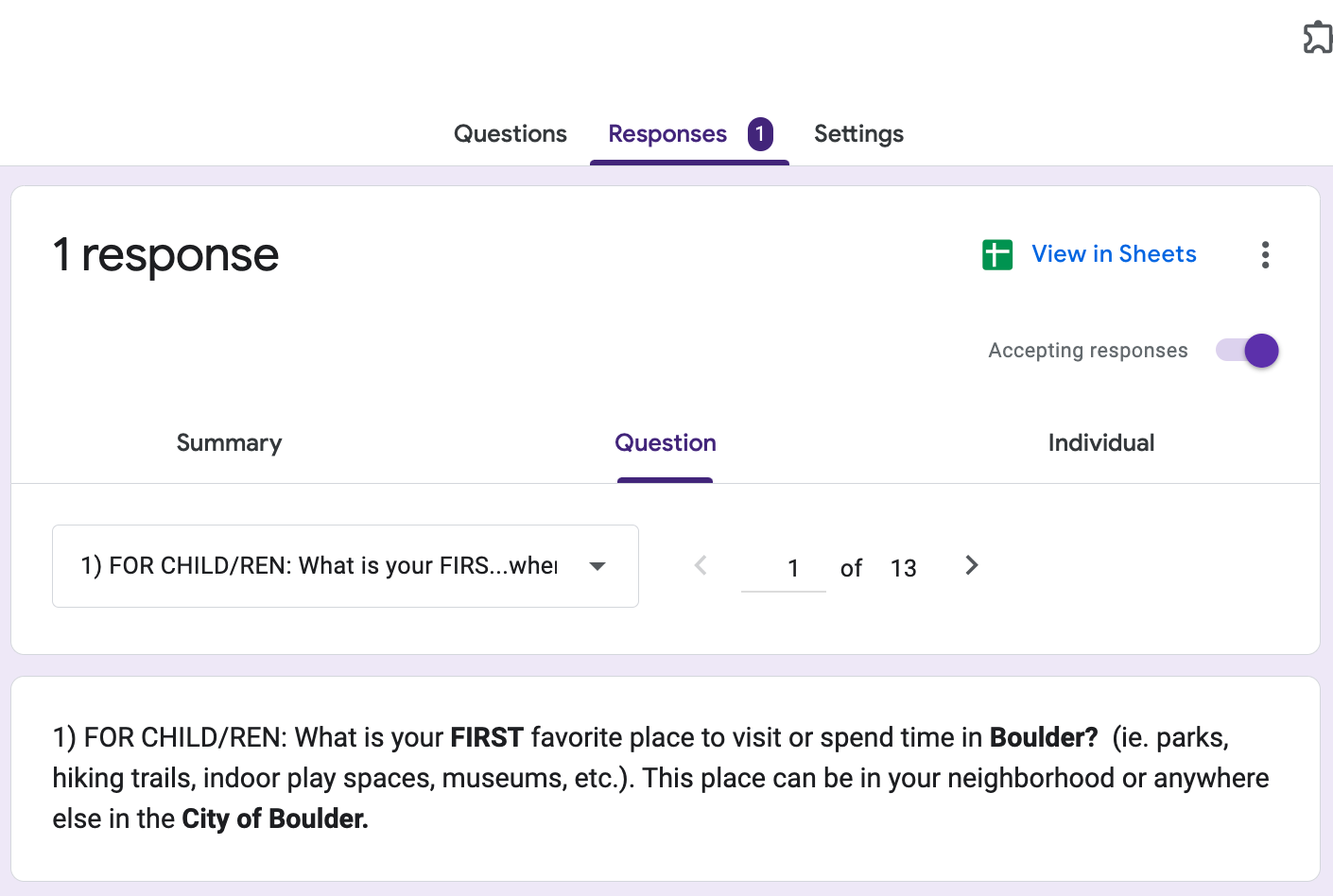 |
Option 3: View All of One Individual's Responses to the Survey | 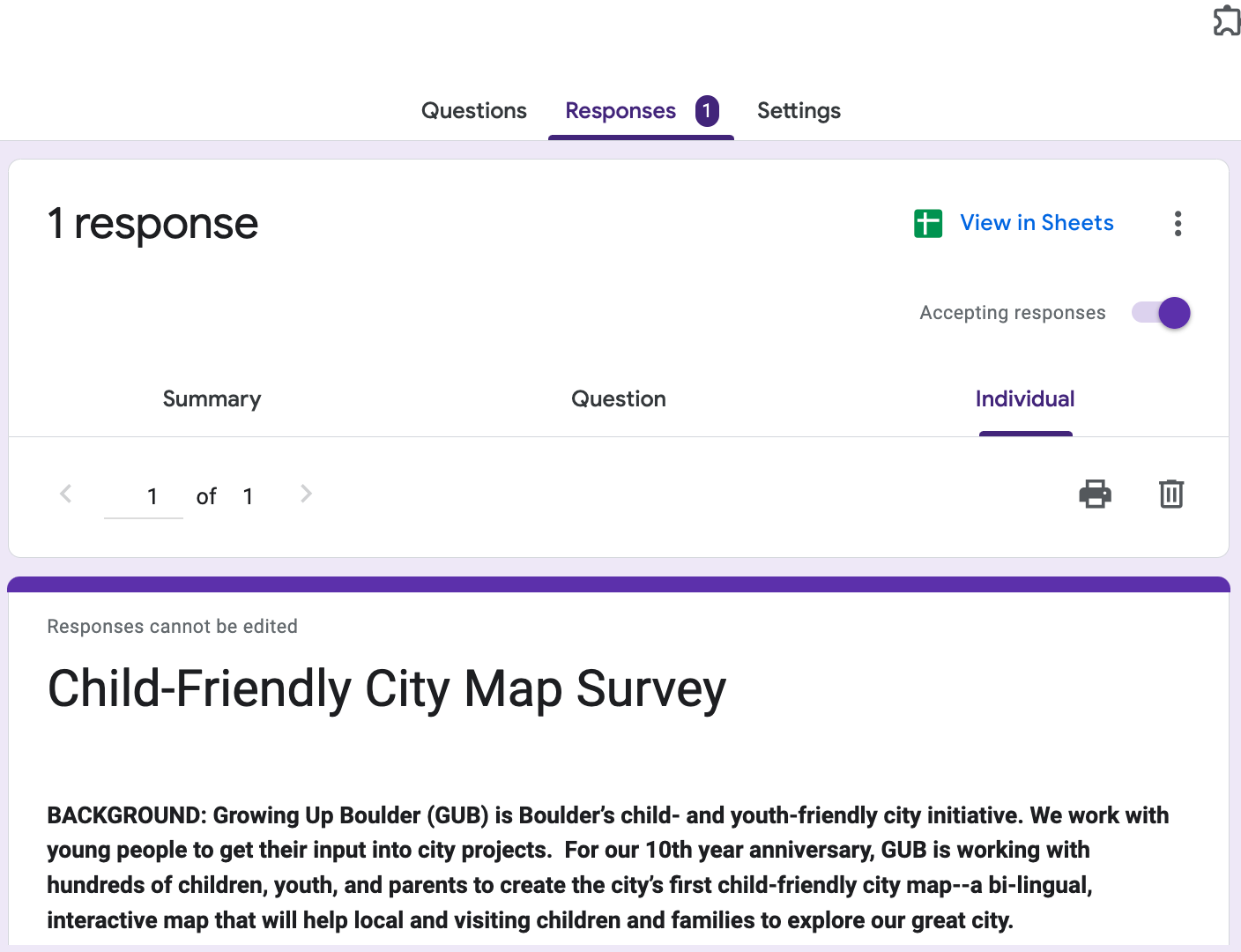 |
Option 4: View a Spreadsheet of the Survey Responses | 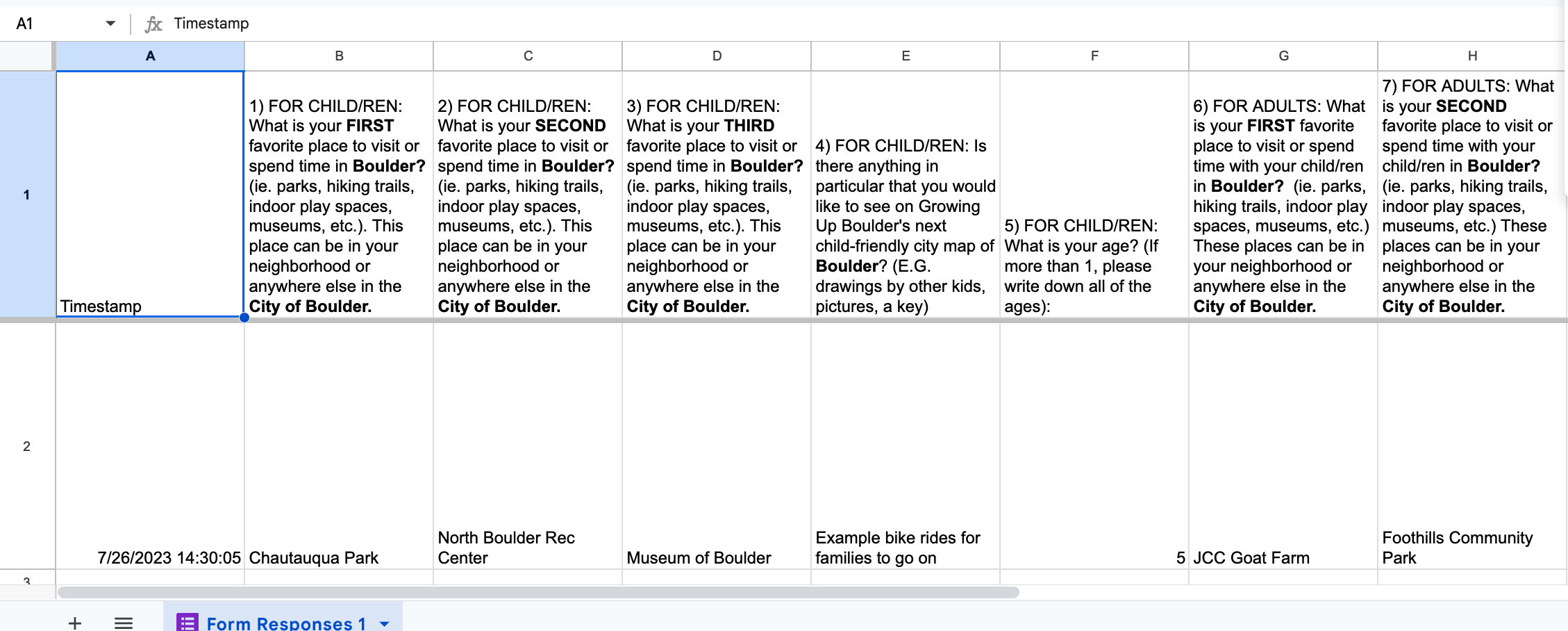 |
Once you have viewed the data, you can decide how to integrate it with the rest of your data. When we analyzed our data, we chose to include survey responses in our Favorite Place data, but noted when it came from Adults, and when it came from Children. You can see these responses in the CFC Map Engagement Data Spreadsheet under the GUB Real Analyzed Total Data worksheet. Now that you have had practice with analyzing the youth data, you can analyze the caregiver data in the ways that work best for you and your team!
The caregiver data will give you more qualitative information and let you know what type of amenities are important to caregivers. These can help to guide what amenities you include on your map, and can also serve as a form of equity that you can share with city planners as you determine whether these amenities are readily available in your city.
A Note on Amenities and Additional Research:
- If you choose to include an amenities chart on your map, this might require visiting or calling each place listed to determine (or double check) what amenities are available there.
- Sometimes we had that information because we knew the place intimately. For others, it meant calling the location and asking what amenities were there. ie. Calling the Parks and Recreation department and asking what amenities a certain playground had, like a grill or shade structure.
- If you decide to include an amenities chart, we recommend identifying amenities early so that you can gather needed information prior to the printing of the map. It takes time.